1
Pick a plan
Choose the term that suits you. The longer the term, the lower the monthly cost.
No jargon. Here is what actually happens to your traffic when you press connect, and what it does and does not hide.
Your device sends requests straight to whoever runs the network you are on - a cafe router, a hotel, your mobile operator, your home ISP. They can see every address you reach. The sites you visit see the address your network gave you, which places you geographically and follows you from page to page.
The app opens an encrypted tunnel from your device to one of our servers. Everything your device sends goes into that tunnel first. The network you are sitting on sees one encrypted stream to one address and nothing about what is inside it. The sites you visit see our server instead of you.
A VPN is one layer. It is a strong one on networks you do not control, and it is the layer most people are missing.
How it works
Choose the term that suits you. The longer the term, the lower the monthly cost.
Pay by card through Stripe or with PayPal. Your account is created the moment the payment clears.
Grab the build for your device from the downloads page and install it.
Enter the username and password from your client area, press connect, and you are done.
On your screen
The app shows the session timer, live download and upload throughput and the latency of the server you are on. Connected means connected - not a hopeful green icon.
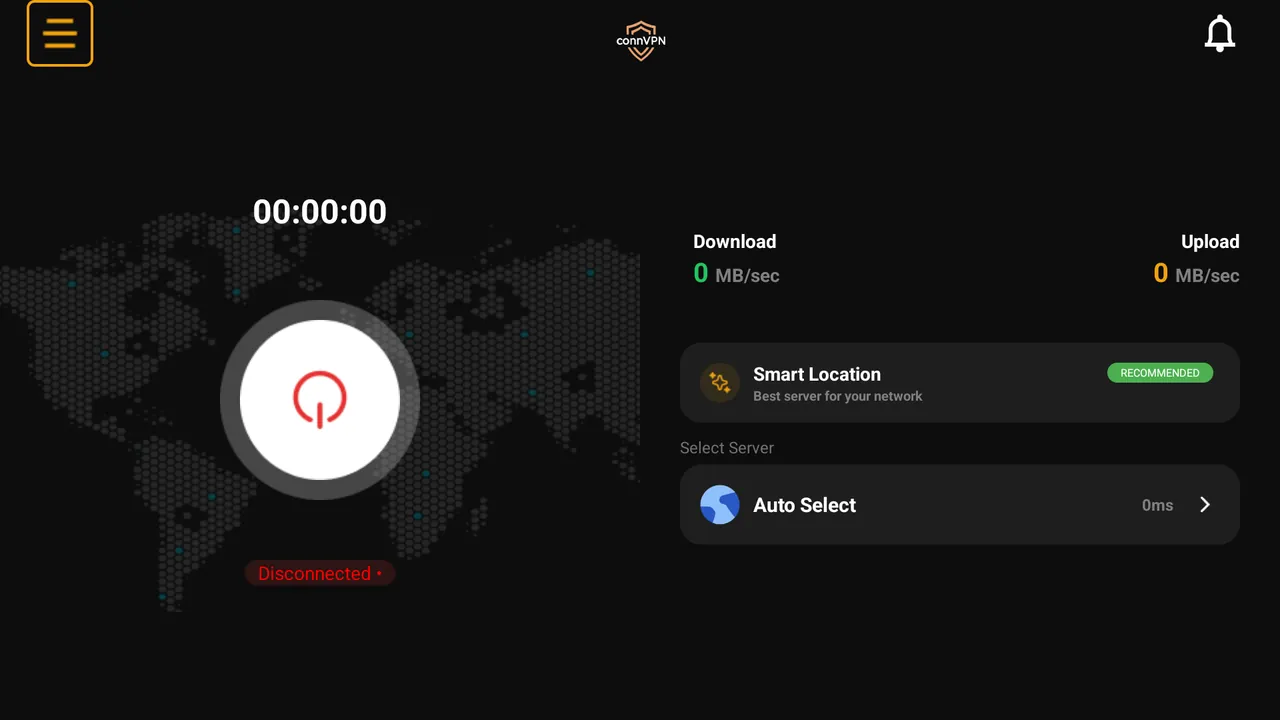
One subscription covers five devices across Android, iPhone, Windows, Mac and Firestick. Set it up in under two minutes.
7-day refund on your first payment · Cancel any time from the client area